GENEPROJ · Engineering guides
Electric Transformer Design Software
Develop a transformer as an organized engineering project: select a template, configure components, inspect the assembly and record review decisions. Geneproj connects reusable part definitions to the project context in which they are used.
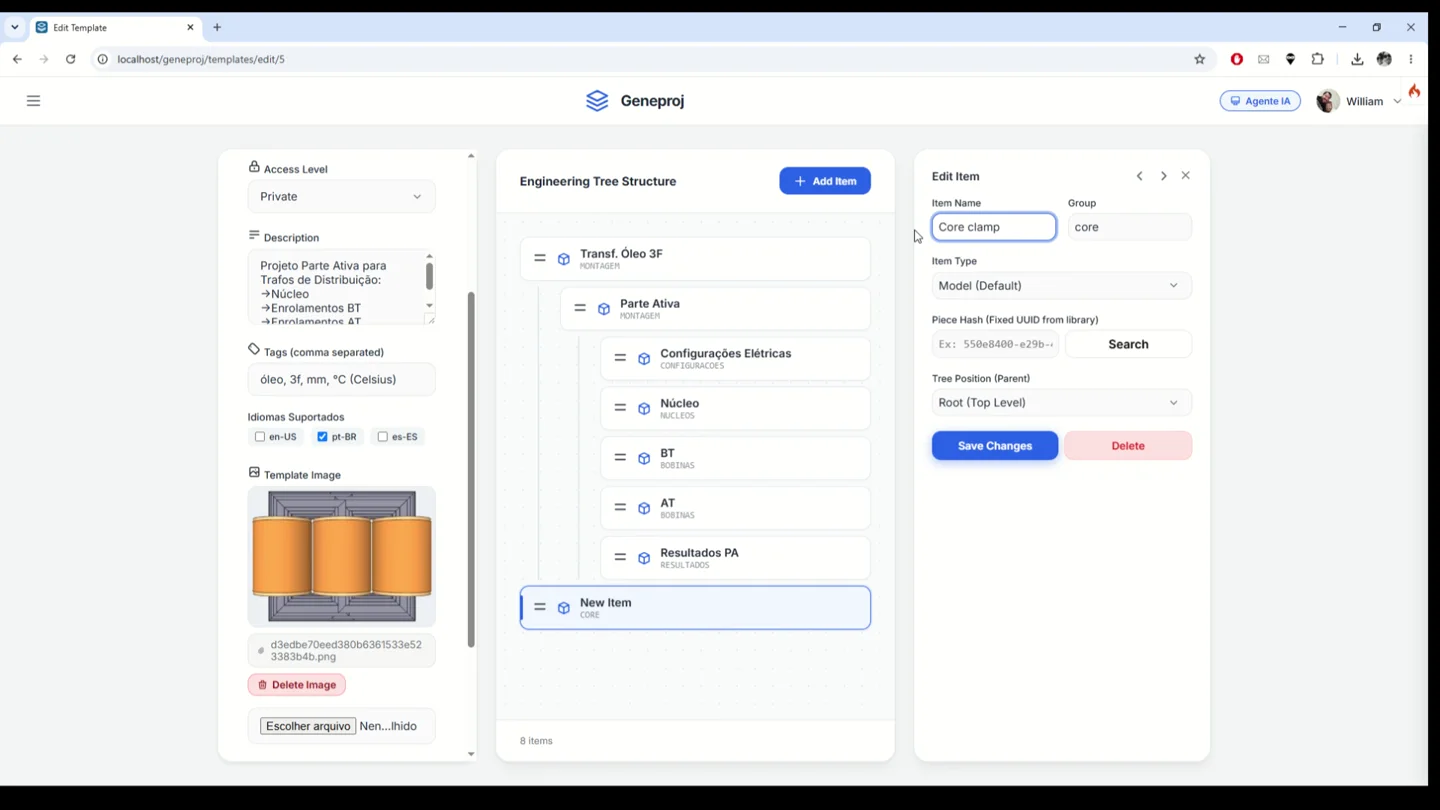
Practical application
The demonstrations include a dry-type transformer assembly and an oil-immersed active-part template with core, LV and HV windings. The project tree connects each component to its model, parameters and documents. Teams can clone a design to study another configuration and track review notes by item.
Reusable parametric parts
Build a library of parameter-driven components such as cores, windings, bushings and structural parts. A part uses its data and rules to generate the corresponding configuration, helping engineers reuse a component definition across design variations. The part workspace brings requirements, parameters, results, visualization and documents together, making established engineering work easier to apply to new projects.
- Inputs
- Dimensions and part configuration
- Outputs and application
- Reusable components across design configurations
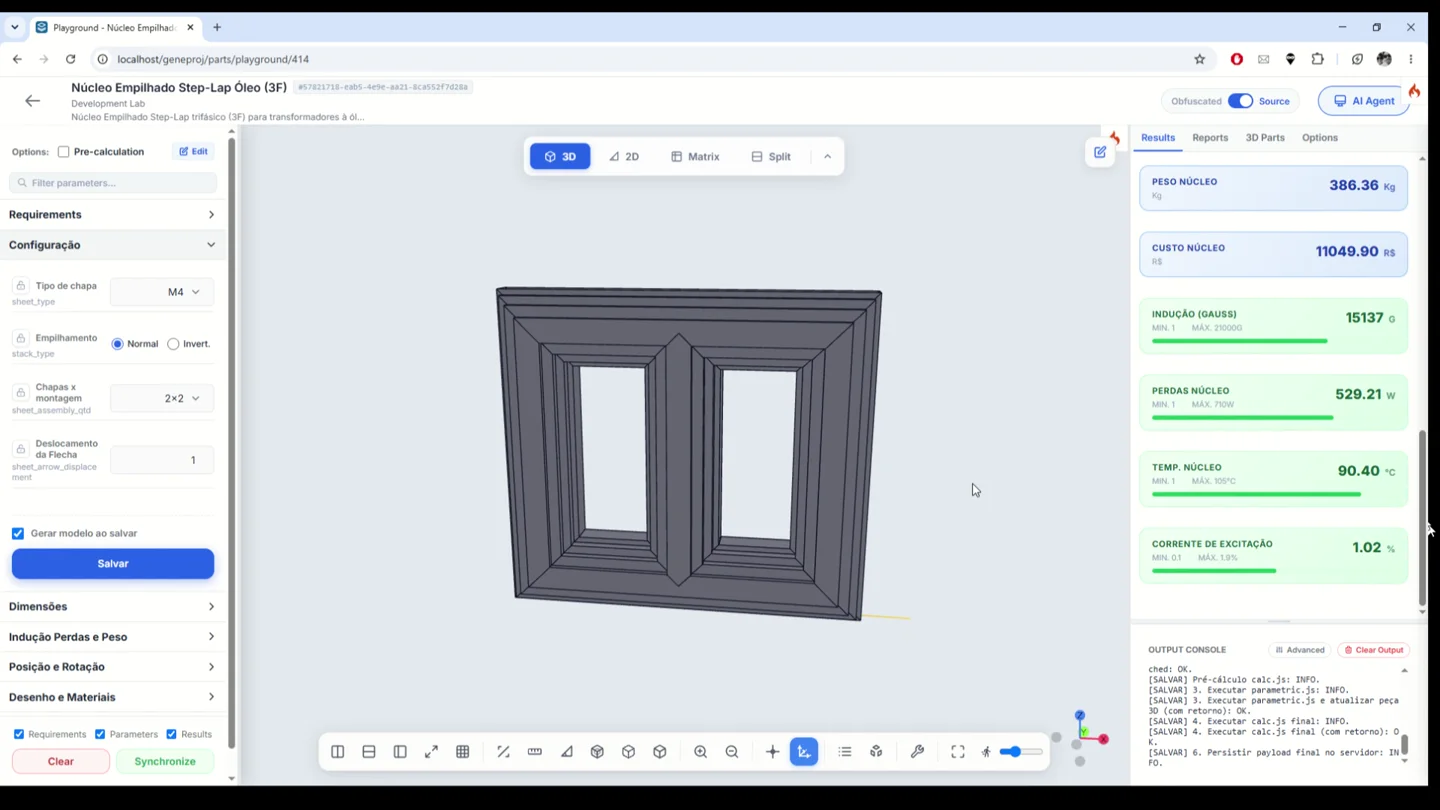
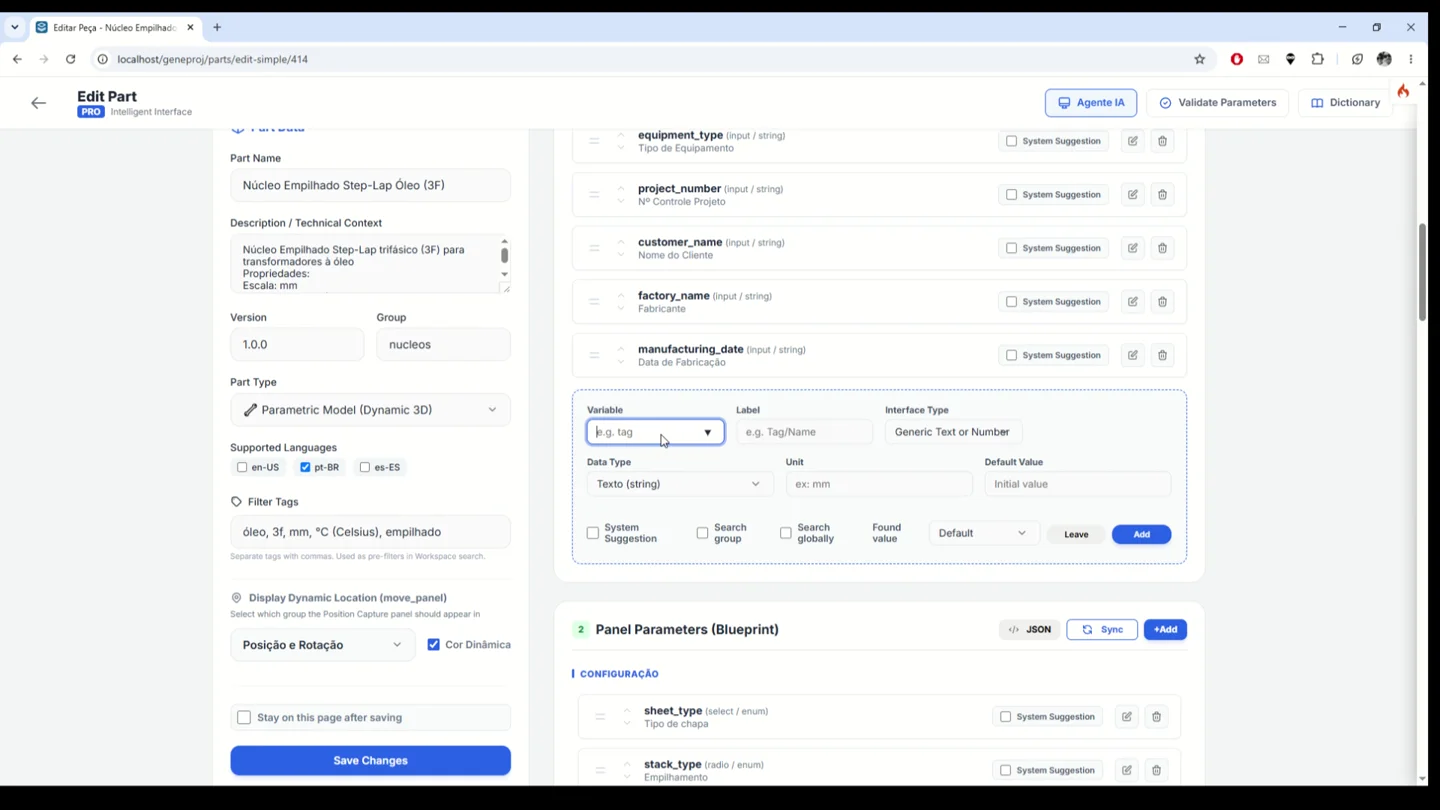
Custom engineering parameters
Adapt part inputs to your engineering process. Configure variable names, labels, data types, units and default values, then organize the parameters in the part panel. This turns component-specific knowledge into an input and review interface with the data needed to run the part logic and interpret its results.
- Inputs
- Variables, units and default values
- Outputs and application
- Input forms adapted to the engineering process
Structured transformer projects
Start a project by defining its name, version, description and engineering template. The selected structure establishes the component context and opens the development workspace. The interface also offers a blank project option for work that requires its own structure.
- Inputs
- Name, version and template
- Outputs and application
- One context for component development
Templates and product families
Configure engineering trees with assemblies, components, groups and references to the parts library. The demonstrated templates include dry-type and oil-immersed transformer structures and single-phase and three-phase alternatives. Reusing this structure supports a consistent project starting point. Technical coverage and application ranges depend on the available models and the rules defined for each product family.
- Inputs
- Item tree and parts library
- Outputs and application
- Reusable structure for each product family
Project variants and material studies
Clone a project to explore an alternative configuration from an established starting point. Engineers can change materials and parameters in the variant and review the results of each scenario while retaining the previous reference. This workflow supports design comparisons without rebuilding the entire project structure.
- Inputs
- Existing project and alternative materials
- Outputs and application
- Scenarios for studying and comparing alternatives
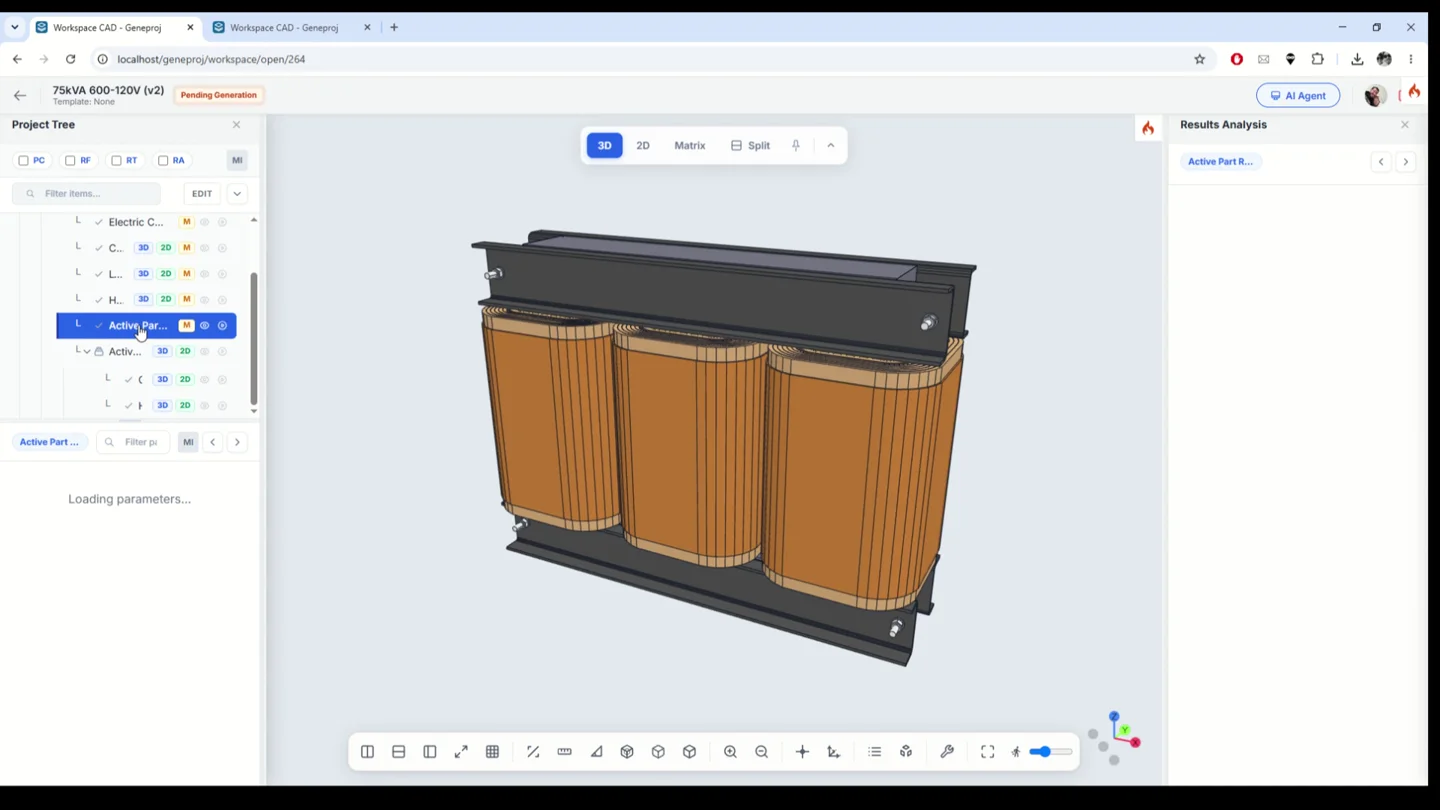
Integrated project workspace
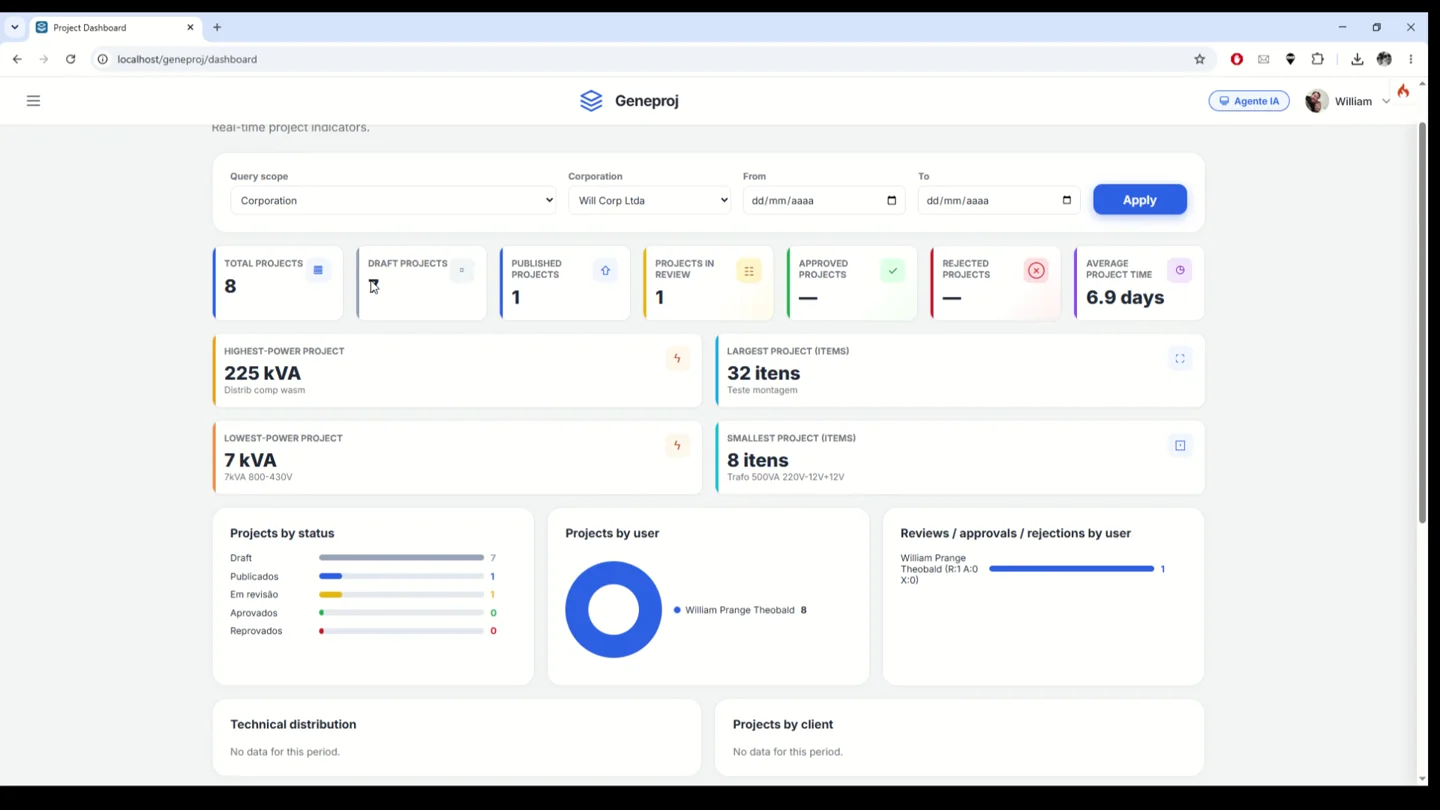
Navigate the component tree and access models, matrices and documents in the project context. The demonstration moves from the assembly to individual parts and their reports, connecting technical details to the item that produced them. This organization brings calculations, geometry and documentation together during transformer review.
- Inputs
- Project structure and components
- Outputs and application
- Connected access to models, matrices and documents
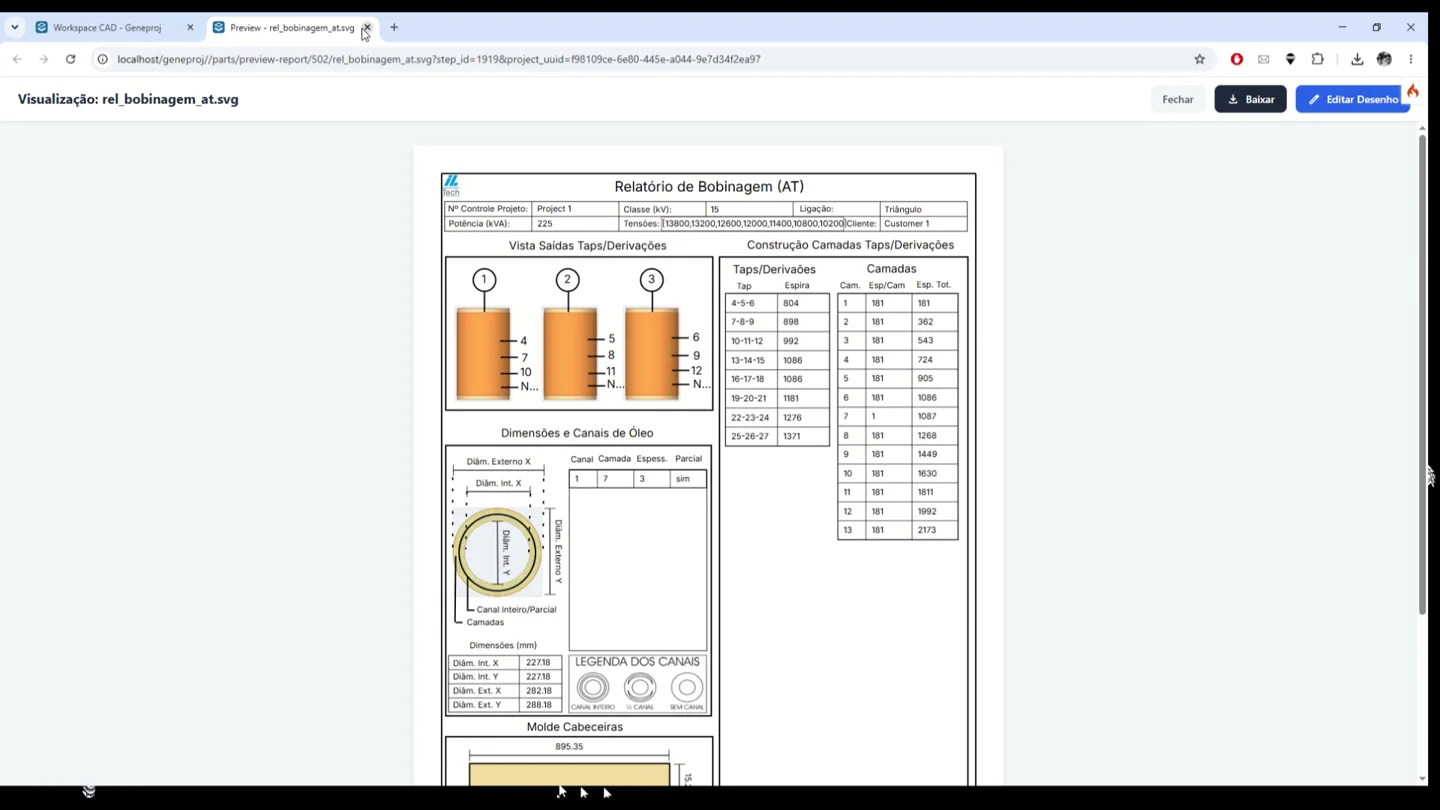
Part review and lifecycle history
Record the review status and annotations of a master part. The history brings together notes and status-change events with the responsible user and date. Teams can retrieve the context behind component decisions instead of relying only on the final file or scattered comments.
- Inputs
- Part status and review notes
- Outputs and application
- Contextual history with user and date
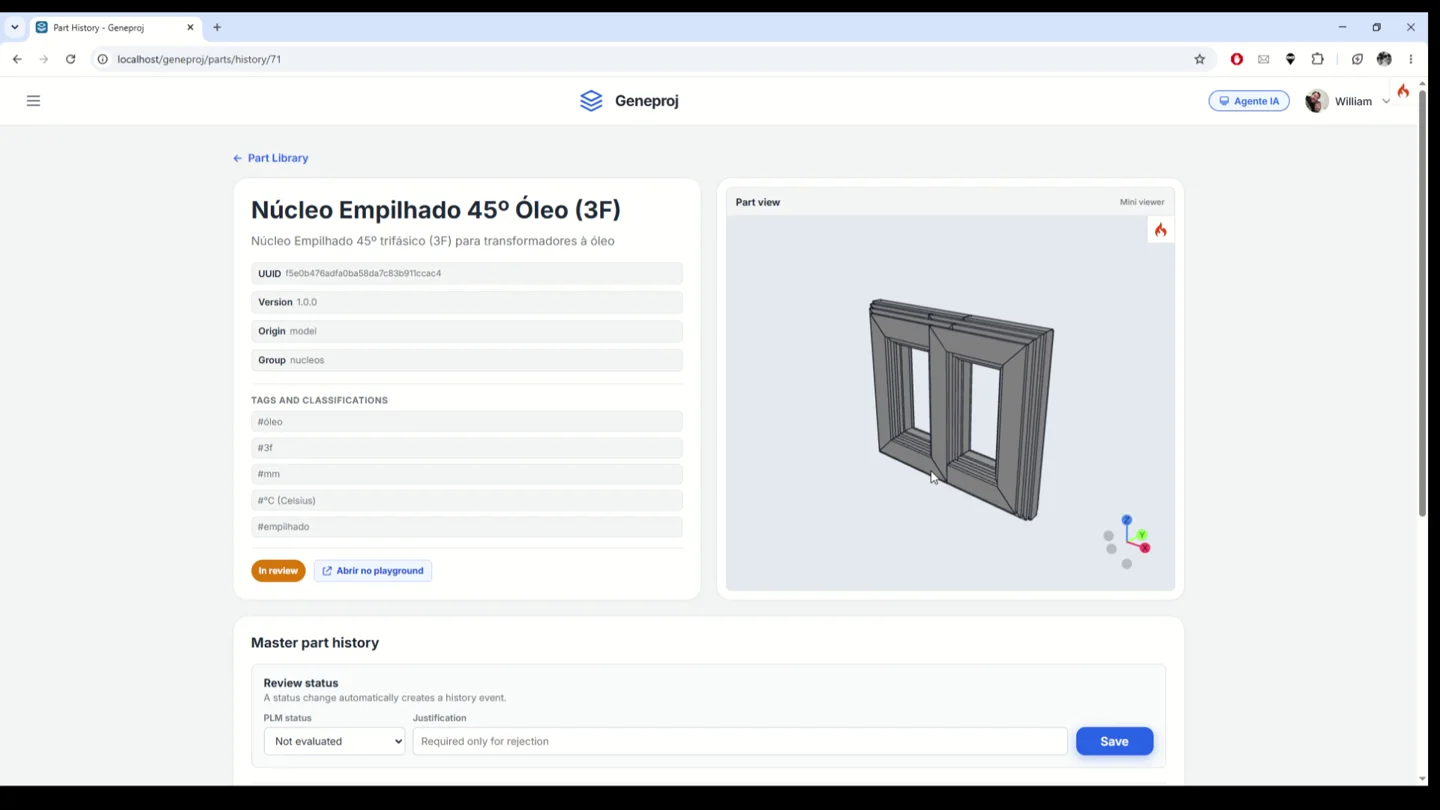
Project and item-level review history
Track project review and inspect history in the context of individual items. The demonstrated interface combines the component tree, attention indicators, global review status and annotations linked to the selected item. This helps teams locate pending issues and record decisions alongside the engineering structure they concern.
- Inputs
- Status, item and justification
- Outputs and application
- Item-level decisions and attention indicators
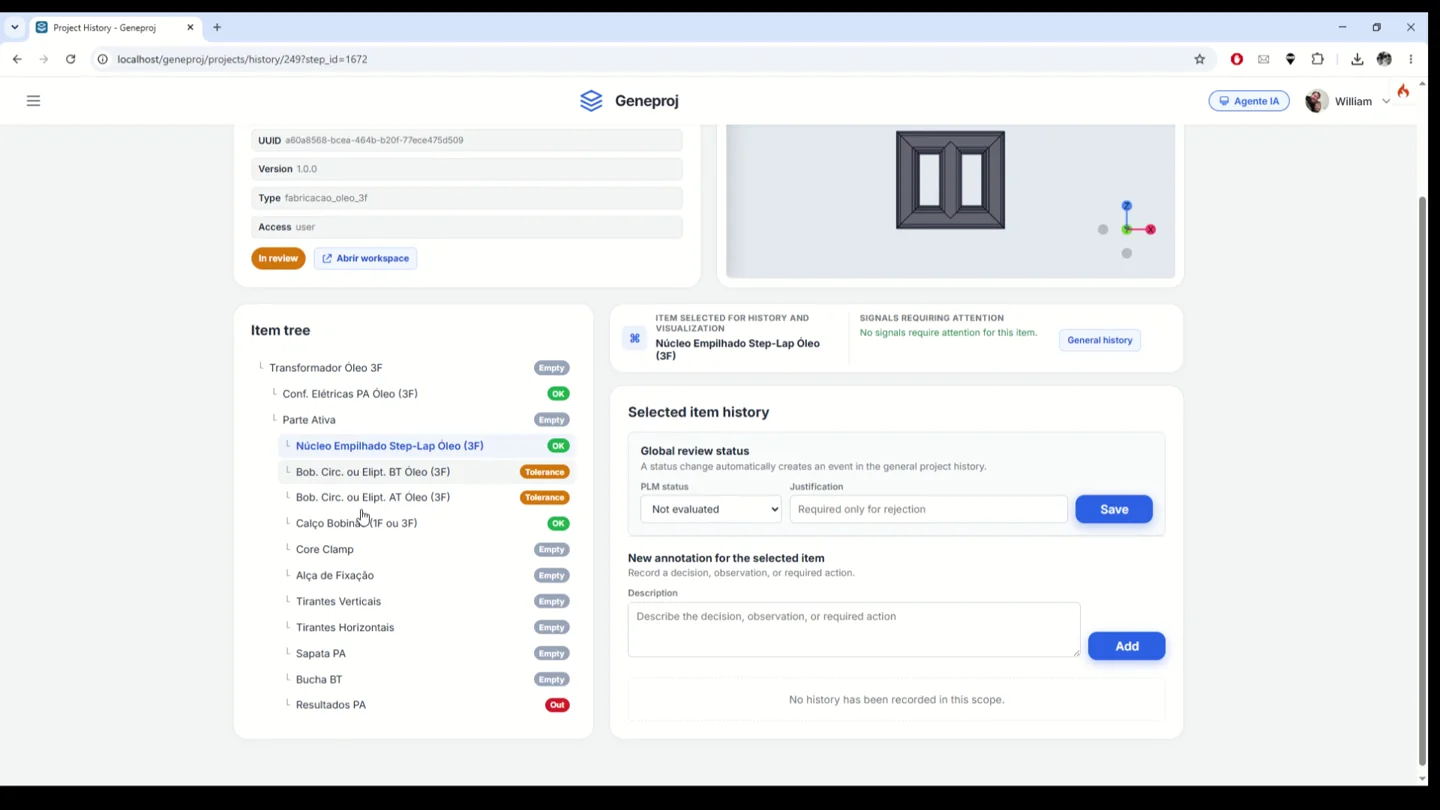
Engineering project dashboard
Review a consolidated view of projects and review activity. The demonstrated dashboard presents projects by status and user, project indicators and recent PLM events. These views help teams follow ongoing work and identify where a closer review is needed.
- Inputs
- Projects and review events
- Outputs and application
- Tracking by status, user and PLM events
Browser access and team context
Access Geneproj through the browser and work within your account and available permissions. The platform includes user and corporate organization features, also described on its public product page. Access to engineering activities follows the responsibilities and configuration adopted by the organization.
- Inputs
- Account and permissions
- Outputs and application
- Access to authorized team activities
Available outputs and features depend on the configured parts, rules, permissions and templates. The engineering team reviews models and documents before use.