GENEPROJ · Engineering guides
Transformer Manufacturing Documentation
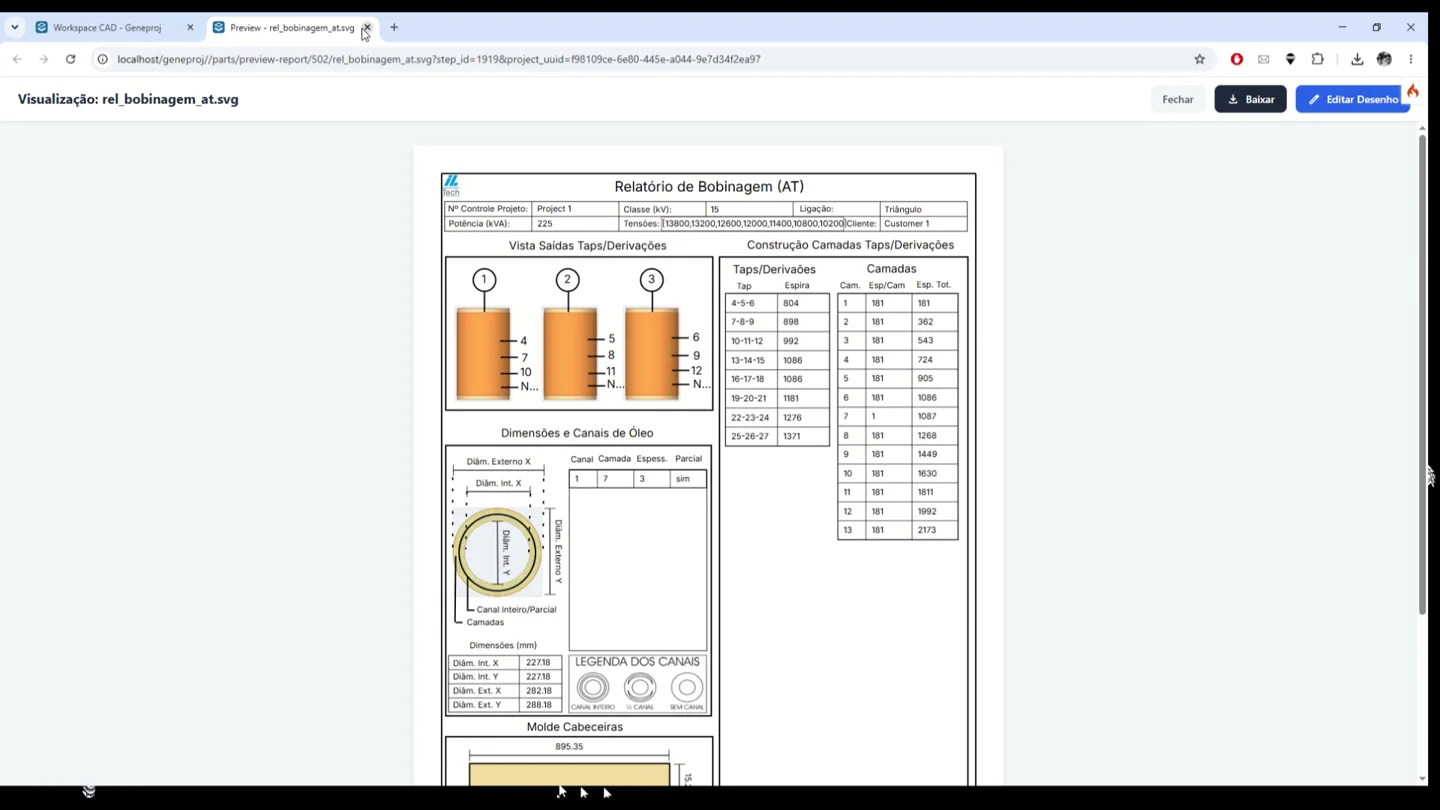
Communicate the designed configuration through technical drawings, matrices and reports linked to the component data. Geneproj lets the team organize document layouts and select the variables needed for each engineering or manufacturing deliverable.
Practical application
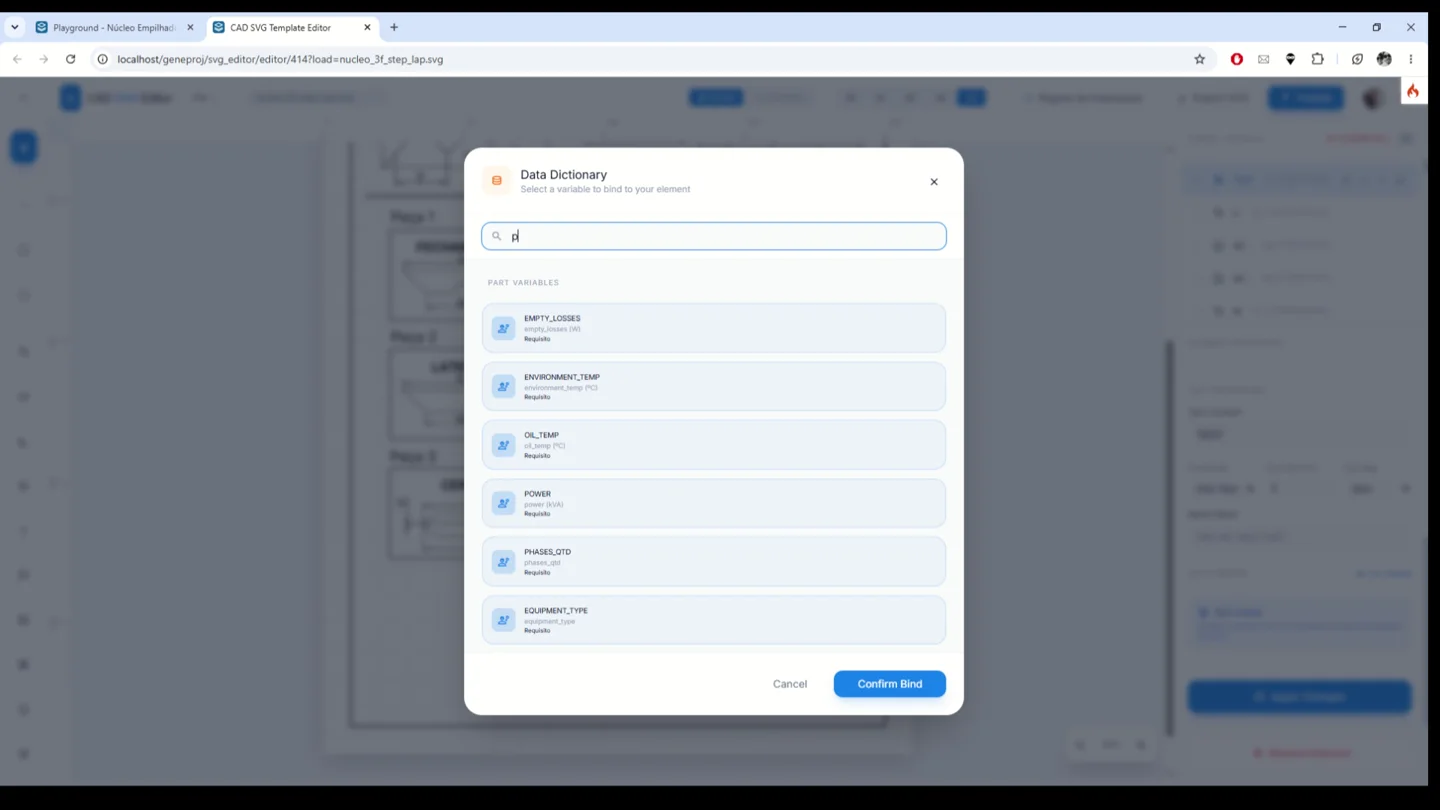
The step-lap core report contains lamination shapes and a table of dimensions and quantities. In the report editor, variables are selected from a data dictionary and bound to document elements. The result is a reusable document definition that should be reviewed for the intended manufacturing process.
Engineering calculation matrices
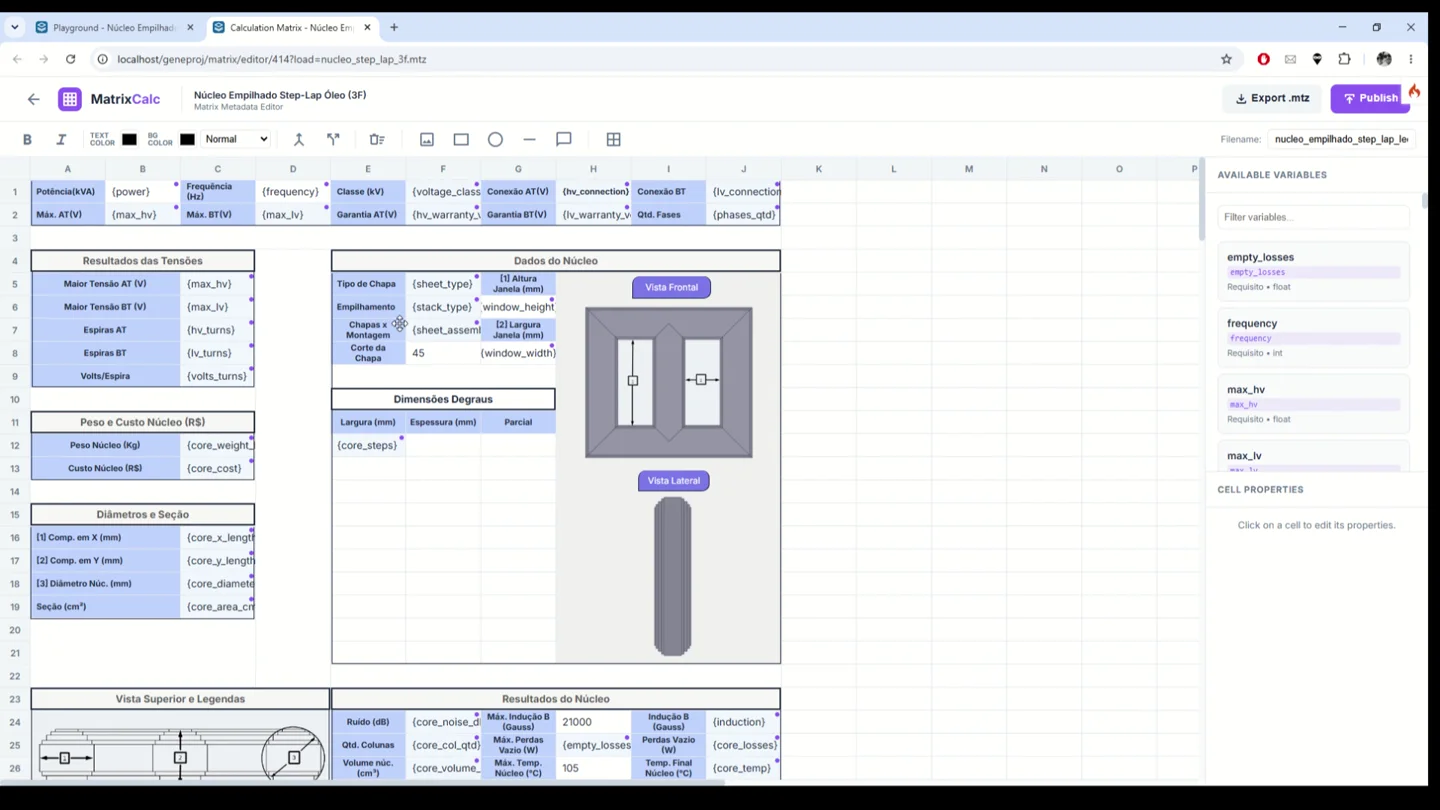
Organize variables, requirements and results in matrices linked to the part. Build a tabular presentation with cells, labels, images and variable bindings. The demonstrated core matrix brings dimensions, views and electrical results into a common layout, making related engineering information easier to review together.
- Inputs
- Cells, variables and limits
- Outputs and application
- Organized presentation of requirements and results
Data-linked technical reports
Customize document layouts and bind elements to part variables. In the demonstrated editor, the data dictionary lets engineers choose which information populates the report. Each document template can organize the data needed for engineering or manufacturing using information already available in the component.
- Inputs
- Layout and part variables
- Outputs and application
- Documents populated with component data
Manufacturing documentation
Review drawings and tables produced from part data. The step-lap core example presents lamination shapes, dimensions and quantities in a technical report. This combination helps communicate the designed configuration to the next stage of work through documents configured for the component and reviewed by the engineering team.
- Inputs
- Dimensions, geometry and quantities
- Outputs and application
- Drawings and tables communicating the configuration
Project and item-level review history
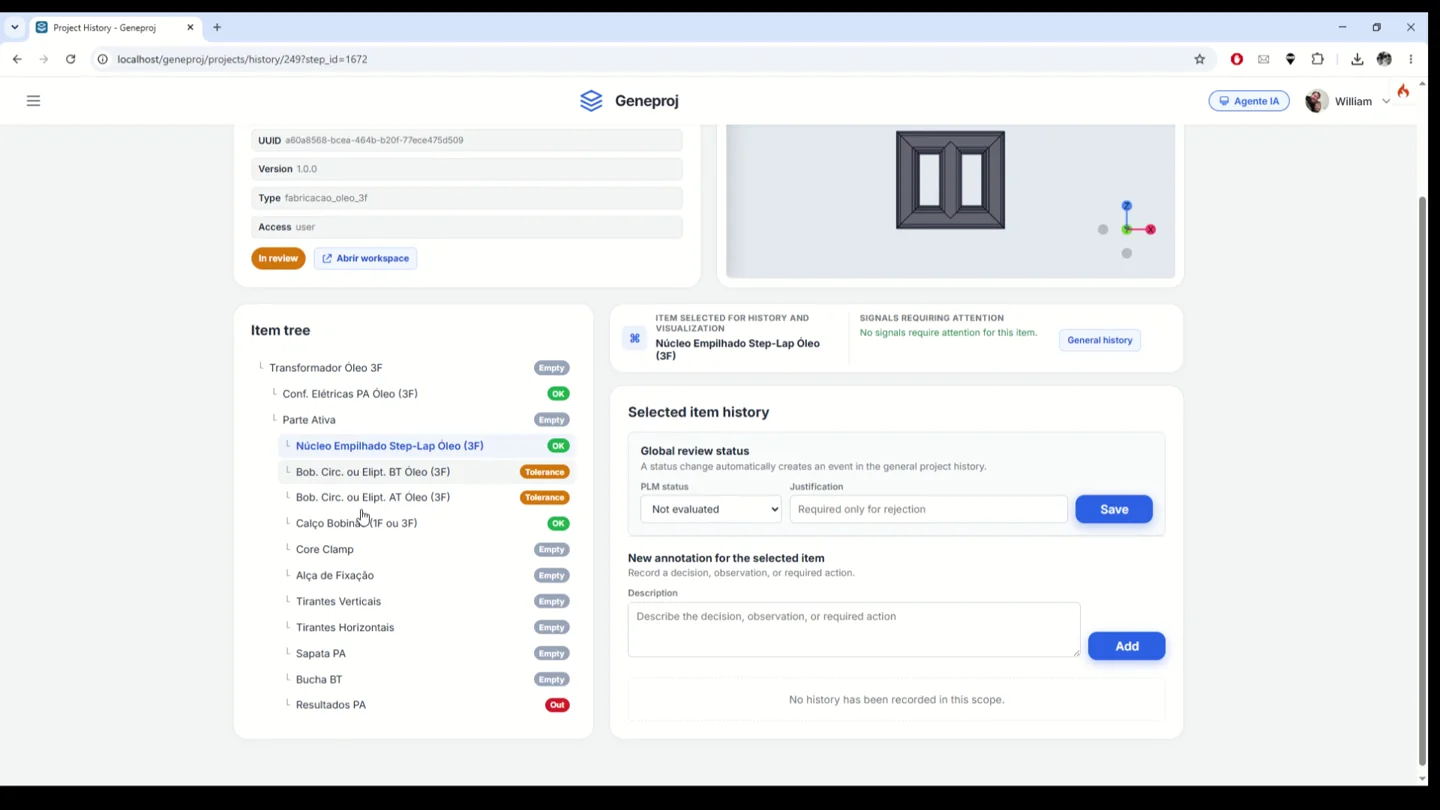
Track project review and inspect history in the context of individual items. The demonstrated interface combines the component tree, attention indicators, global review status and annotations linked to the selected item. This helps teams locate pending issues and record decisions alongside the engineering structure they concern.
- Inputs
- Status, item and justification
- Outputs and application
- Item-level decisions and attention indicators
Available outputs and features depend on the configured parts, rules, permissions and templates. The engineering team reviews models and documents before use.