GENEPROJ · Engineering guides
Electric Transformer Calculation Software
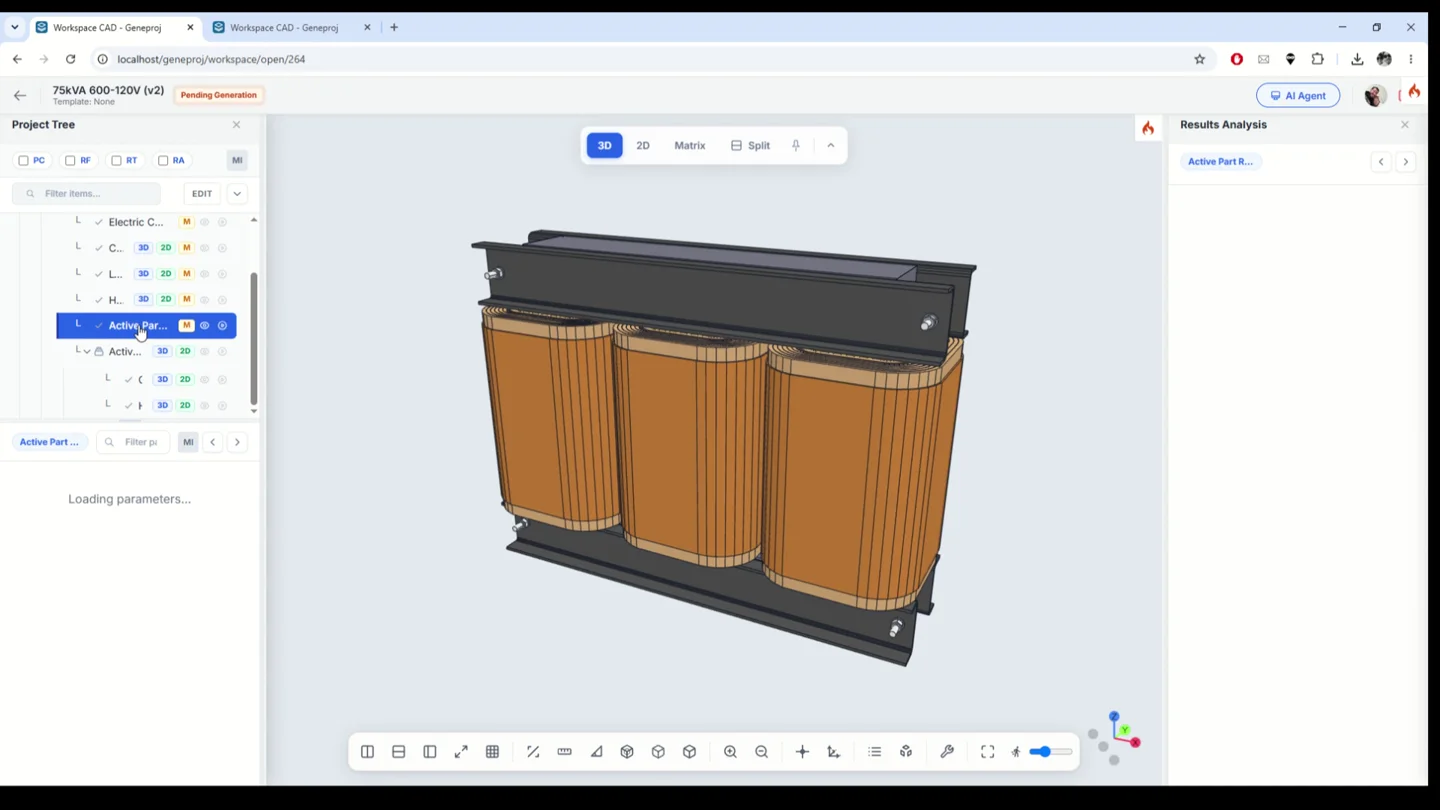
Review the relationship between electrical requirements, component geometry and calculated results. Geneproj keeps part inputs and outputs in the same workspace, so the engineer can inspect the model being evaluated and the rules behind it.
Practical application
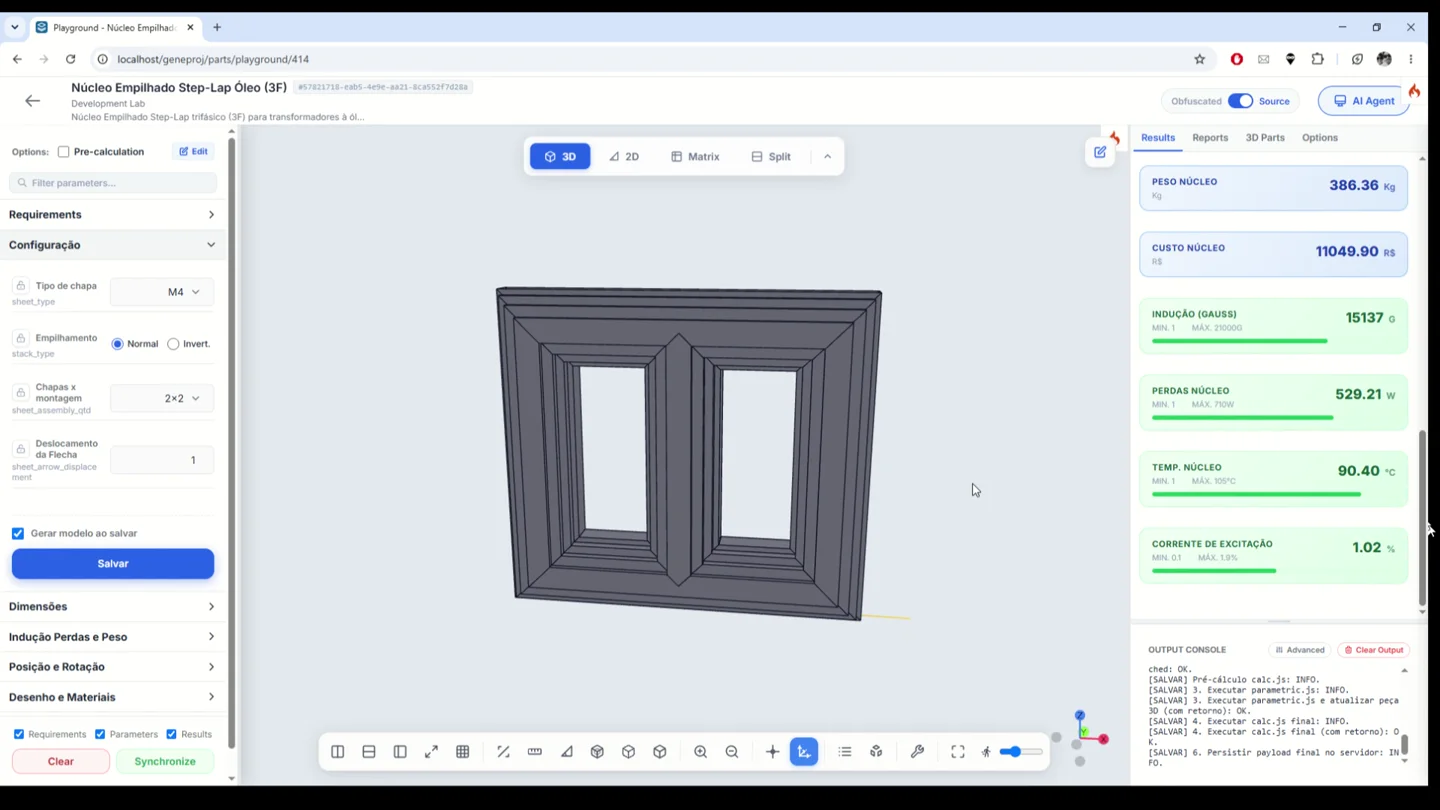
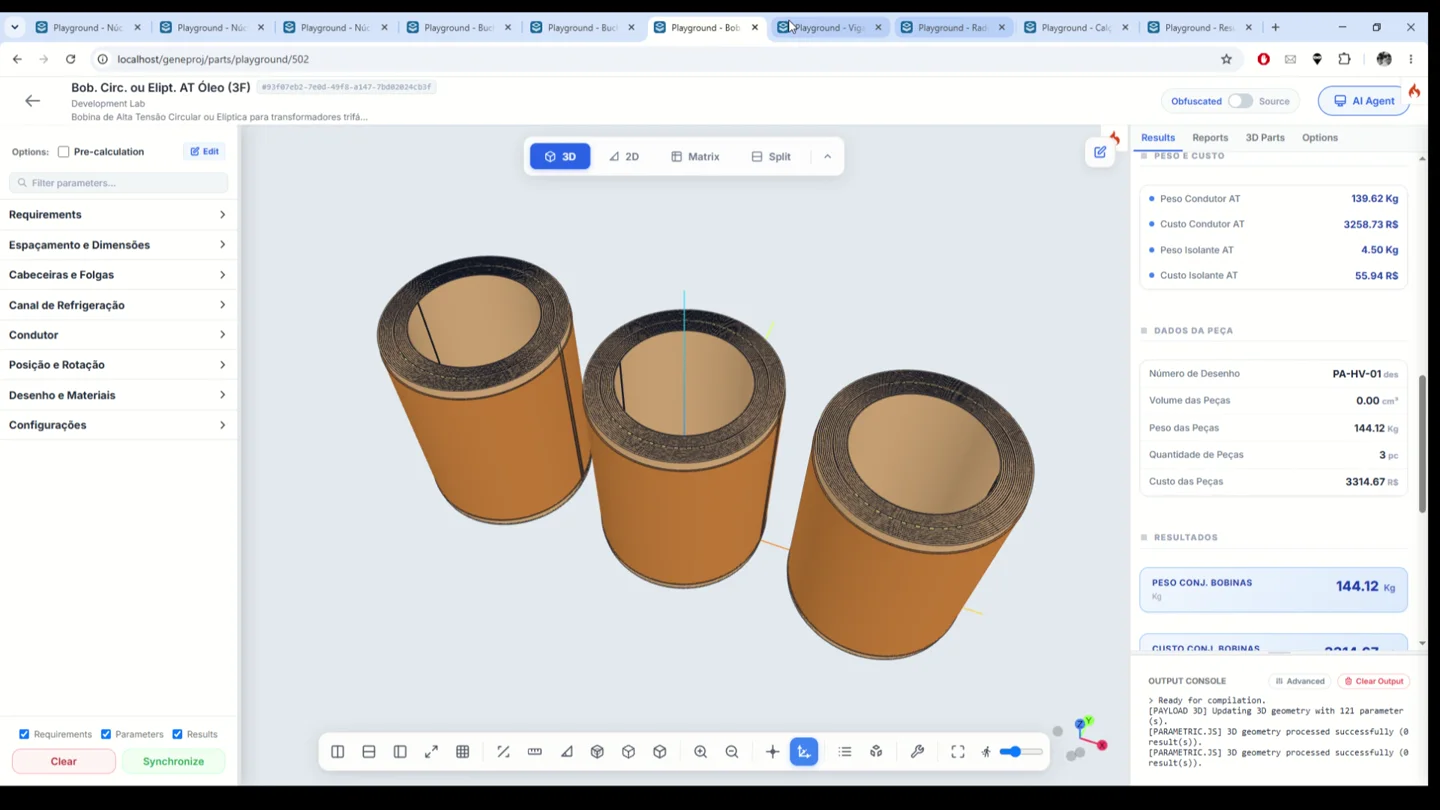
In the step-lap core example, the results panel displays weight, cost, flux density, losses, temperature and excitation current. The winding example includes conductor and insulation weight and cost. These are outputs of the configured component rules; their applicability must be checked for the design under review.
Core and winding calculations
Geneproj connects electrical and mechanical calculations to the definition of transformer components. In the step-lap core example, engineers configure the laminations and geometry, then review weight, cost, flux density, losses, temperature and excitation current alongside the model. Winding components bring conductor, insulation and dimensional data together with geometry and material results. This keeps the calculation and the component being reviewed in the same engineering context. Available outputs depend on the rules implemented in each part model.
- Inputs
- Geometry, materials and electrical requirements
- Outputs and application
- Electrical results, weight and cost alongside the model
Programmable part logic
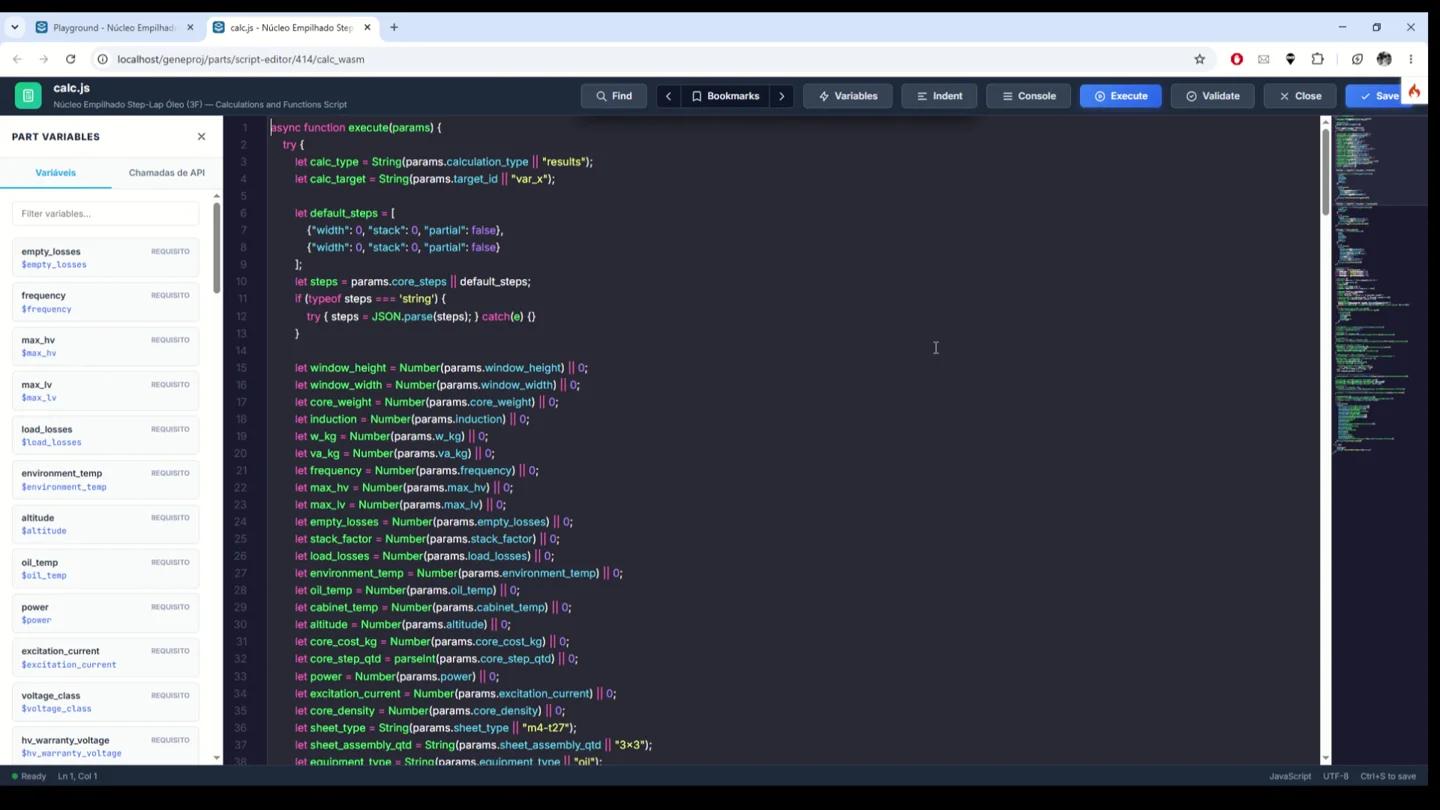
Edit part logic when a component requires specific formulas or engineering criteria. The integrated editor exposes the variables and calculation code, with execution and validation actions. Engineering teams can implement their methods and connect them to component outputs, then review the code and behavior before reusing the part.
- Inputs
- Formulas, criteria and variables
- Outputs and application
- Editable and reviewable calculation methods
Engineering calculation matrices
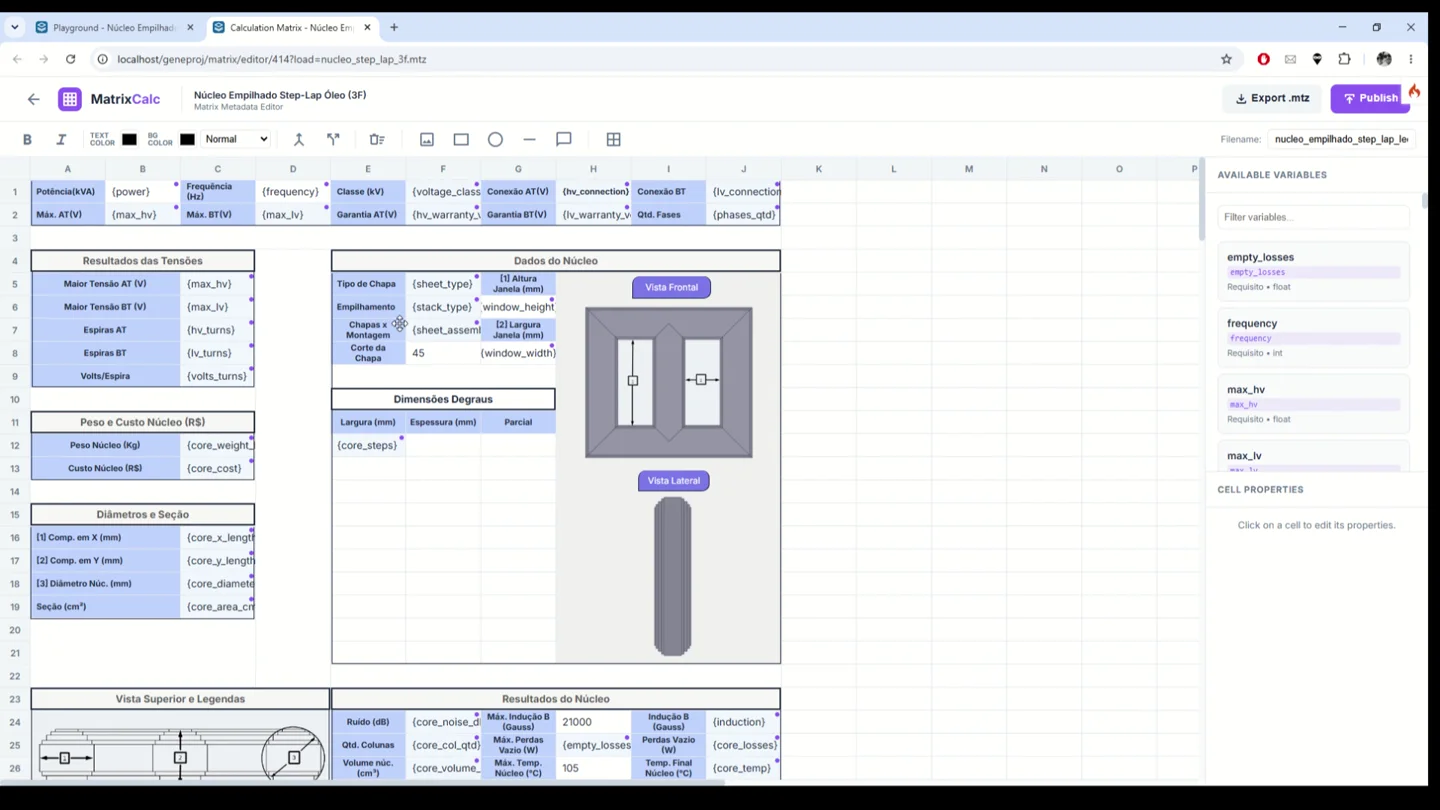
Organize variables, requirements and results in matrices linked to the part. Build a tabular presentation with cells, labels, images and variable bindings. The demonstrated core matrix brings dimensions, views and electrical results into a common layout, making related engineering information easier to review together.
- Inputs
- Cells, variables and limits
- Outputs and application
- Organized presentation of requirements and results
Project variants and material studies
Clone a project to explore an alternative configuration from an established starting point. Engineers can change materials and parameters in the variant and review the results of each scenario while retaining the previous reference. This workflow supports design comparisons without rebuilding the entire project structure.
- Inputs
- Existing project and alternative materials
- Outputs and application
- Scenarios for studying and comparing alternatives
Available outputs and features depend on the configured parts, rules, permissions and templates. The engineering team reviews models and documents before use.